There are a number of methods of connecting the SmartController to WiFi. Which method we suggest using will be determined by your firmware version.
- MyFY (Recommended)
Also known as BLE Provisioning, this method uses an Android or iOS device to connect using Bluetooth. Available from firmware version 1.93. - FY WiFi Setup (Legacy)
Also known as ESPTouch, this method relies on an Android or iOS device broadcasting the credentials to the SmartController over WiFi. Available on all firmware versions. - v1.93: Serial Console (alternative)
This is an alternative method, connecting the SmartController to a PC with a USB Cable. Available in case for some reason you cannot use one of the above methods, from firmware version 1.93.
MyFY Connection process
1. Install the required Provisioning App:
2. Enter WiFi Setup
Turn on the FY500, wait for the prompt to connect to WiFi, and select Yes to enter WiFi Setup: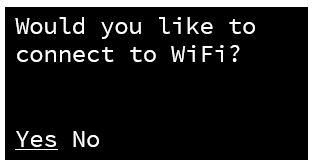
If it’s already on, go to Settings > Manage WiFi > Add new network
At the setup method selection screen, choose MyFY: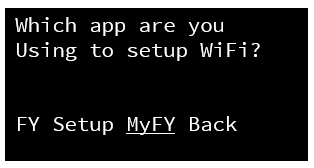
The controller will start the WiFi setup mode, and wait at a screen like this: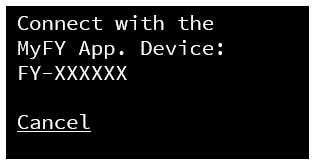
3. Use the Provisioning App on your phone
Open the ESP BLE Provisioning App, and ensure you grant it the required Location / Bluetooth / Nearby Devices permissions.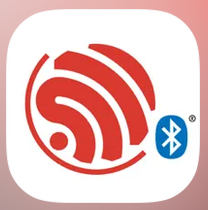
Select "Provision New Device":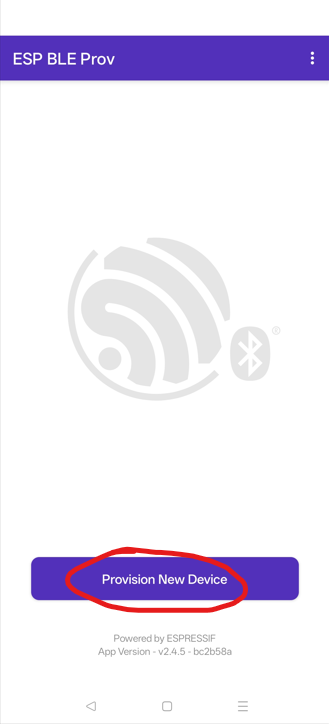
Select "I don't have a QR code":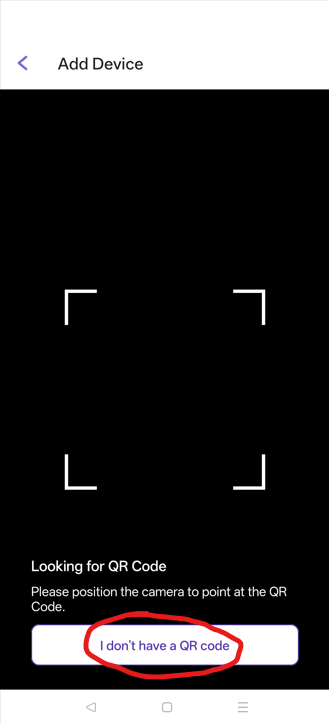
Select "CHANGE" and enter the prefix value of "FY-", and Save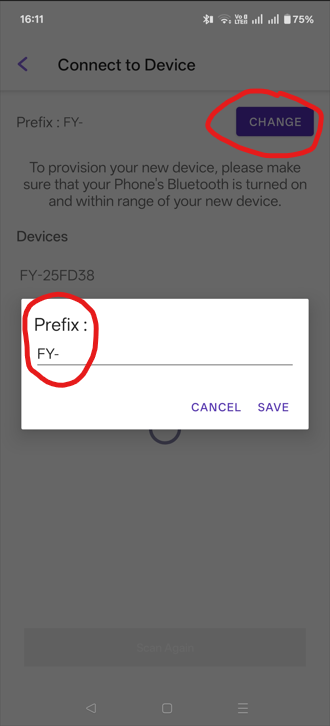
Tap on the name of the FY device that matches the ID shown on the SmartController display: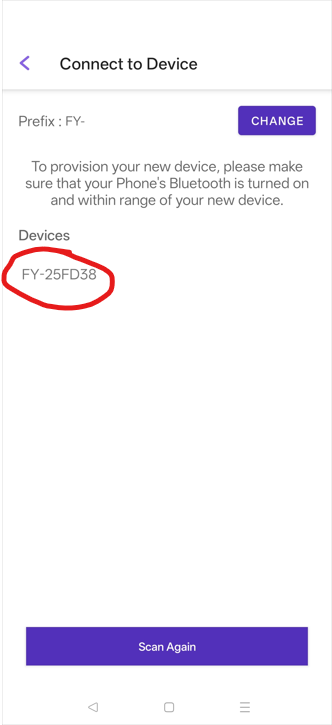
Enter the proof of possession PIN value "FYSetup" and select Next: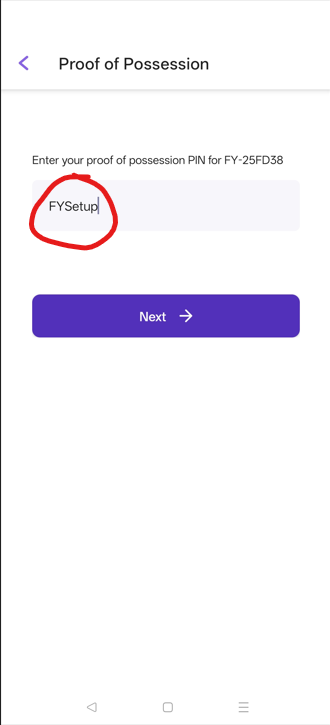
Select the WiFi Network you wish to connect to: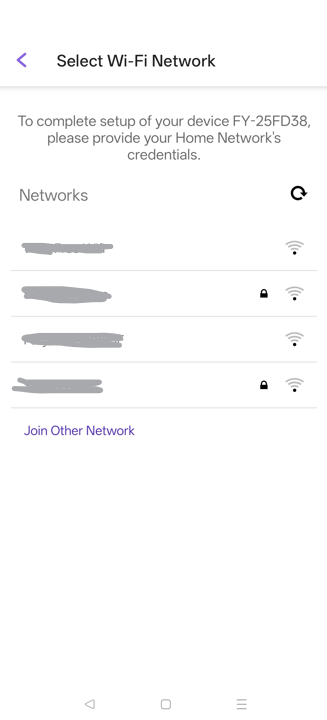
Enter the password for the WiFi network and press PROVISION: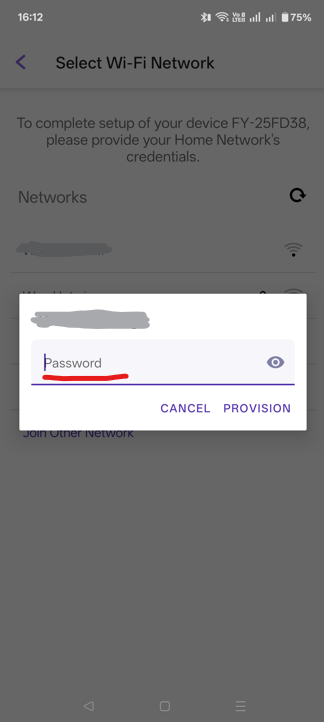
Wait for the Provisioning process to complete: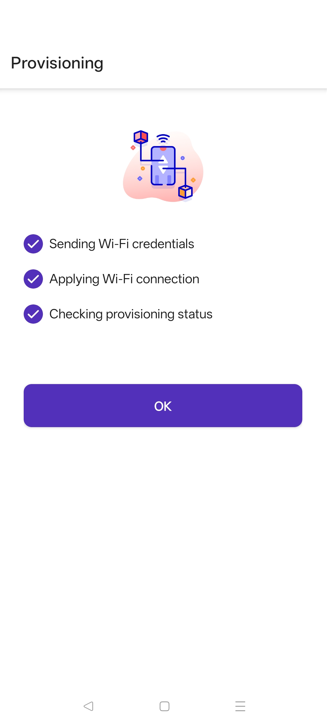
Your SmartController should now try to connect to the WiFi network, and then our FuckYeah Online Service.
The SmartController will store the network in it's memory. It can store up to 10. If you already have 10 networks saved, the new network will replace the oldest network used.
